
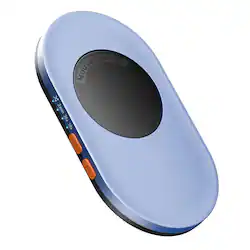
Vaydeer M4 Ultra Mouse Mover With APP
Product Technical Specifications
Vaydeer M4 Ultra Mouse Mover With APP
Hardware-Level Screen Inactivity Prevention with Smartphone Synergy
The Vaydeer M4 Ultra Mouse Mover With APP represents a massive leap forward from standard USB hardware dongles. Traditional “mouse jigglers” plug directly into your computer’s USB port as a recognized digital device, meaning they leave digital footprints that corporate endpoint monitoring or IT tracking software can quickly identify. Vaydeer solves this vulnerability by using a completely physical cradle-and-turntable design.
Instead of passing data to your operating system, the M4 Ultra connects to a power outlet or a basic USB port solely to draw power. You place your physical optical mouse directly onto its raised mechanical turntable.
The device slowly spins its internal disk, causing the mouse’s optical laser to read physical movement. Because no software, drivers, or unknown USB peripherals are registered on the PC, the simulation remains 100% undetectable by network administrators.
What truly sets the M4 Ultra apart is its integrated Wi-Fi and mobile app control platform, giving you the power to manage your active presence dynamically from across the room or even from another phone line.
Key Product Features & Innovations
-
Dedicated Mobile App Management: Control your active status from your smartphone. Using the official iOS or Android utility app, you can remotely trigger the turntable, power the device on or off, and tweak internal settings without physically touching your desk layout.
-
Real-Time Integrated LED Display: Adjust settings quickly without opening your phone app. The bright built-in LED panel displays your exact current rotation timing patterns, remaining countdown lifespans, and connection statuses at a glance.
-
Customizable Rotation & Pause Loops: Eliminate predictable cursor patterns. Through the app interface, you can set the turntable to rotate for specific windows (ranging from 10 to 60 seconds) and customize the exact pause intervals in between. This makes your mouse cursor behavior look completely natural and human.
-
Programmable Timer Shutdown: Avoid keeping your PC awake all night long. The hardware includes a built-in scheduling tool that automatically shuts the turntable down after a set duration (selectable from 1 to 8 hours), allowing your computer to sleep naturally after your working hours end.
-
Ultra-Slim Whisper-Quiet Core: Keep your workspace peaceful. By using an advanced micro-motor base, the device generates soft operational sounds below 45dB, making it virtually silent during continuous operation on your desktop or nightstand.
Technical Specifications- Vaydeer M4 Ultra Mouse Mover With APP
| Parameter | Product Specification |
| Model Variation | M4 Ultra (App + Button Control Edition) |
| Detection Method | Pure Physical Mechanical Turntable Rotation |
| Data Interconnect | Driver-Free / Zero PC Data Transmission |
| Chassis Profile | Ultra-Slim Layout: 17.3 mm Thick |
| Product Net Weight | Lightweight Travel Form: 105 Grams |
| Wireless Control Range | Up to 33 Feet via local network pairing |
| Sound Threshold | Hardcore Ultra-Silent Motor (Less than 45dB) |
| Power Inlet Port | Integrated USB Type-C (Requires standard 5V/2A source) |
| System Compatibility | Windows | macOS | Linux | ChromeOS (All Optical Mice) |
Quick Setup & App Pairing Workflow
Setting up the M4 Ultra requires zero computer access, keeping your device entirely isolated from corporate monitoring tools:
1. Connect Power Line: Hardware Setup.
Frequently Asked Questions (FAQ)
Q: Can my company’s IT tracking software see that the Vaydeer M4 is plugged in?
A: No, provided you power the device externally. Because it operates as a purely mechanical turntable spinning a disc, no digital connection or data is flowing to your laptop. To ensure total privacy, plug the Type-C power cable into a standard wall outlet rather than your laptop’s USB port.
Q: Will the mobile app work if my home router is only set to a 5GHz Wi-Fi band?
A: The M4 Ultra’s internal wireless chip specifically requires a 2.4GHz Wi-Fi network band to pair successfully with your smartphone. If your router combines both bands under a single name, you may need to temporarily split them or use your router’s guest network settings to complete the initial pairing process.
Q: Does the physical movement scratch the bottom feet of my optical mouse?
A: Not at all. The surface of the rotating turntable is engineered with smooth, non-abrasive materials that prevent surface friction or scuff marks, keeping the slick PTFE feet on your premium office or gaming mouse completely protected.
You May Also Like
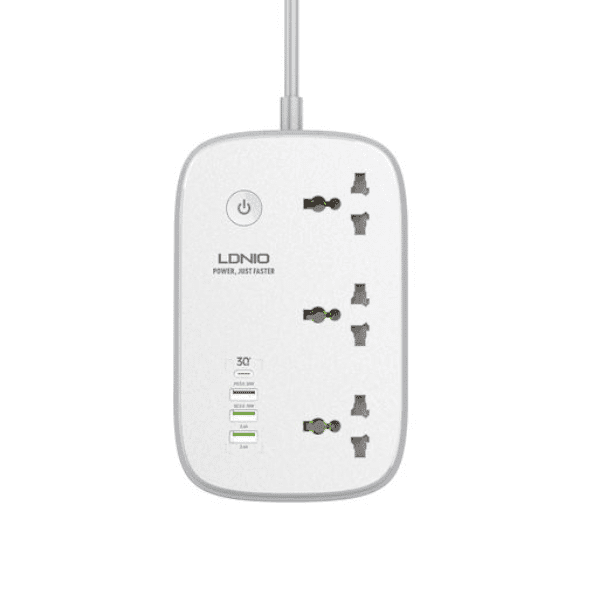
LDNIO SCW3451 WiFi Smart Universal Power Socket
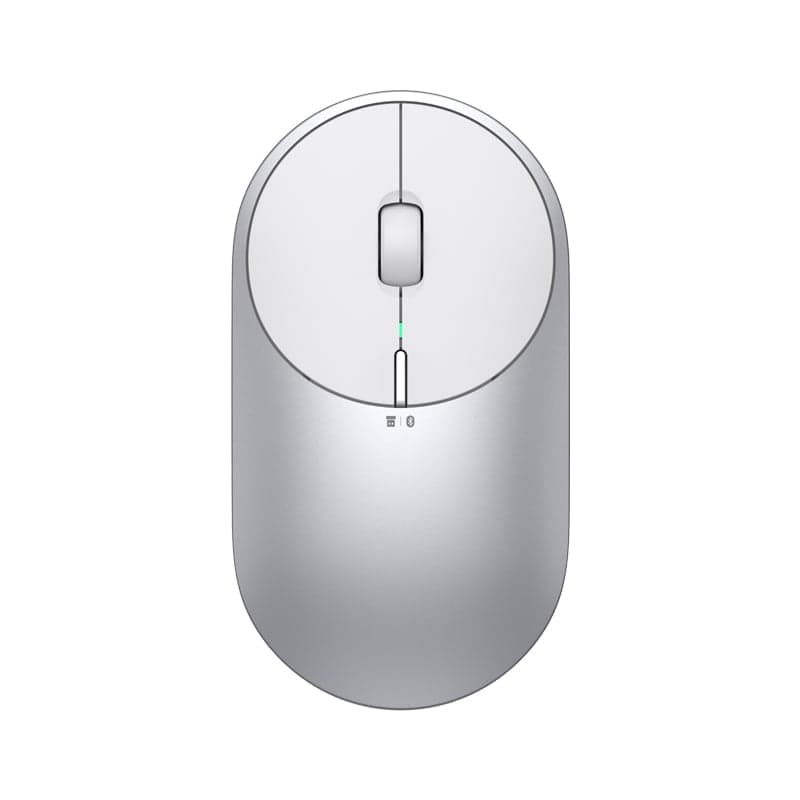
Xiaomi Mi Portable Wireless Mouse 2
Xiaomi Wireless Mouse Lite 2
Trusted Destination for 100% Genuine Tech
Check your gadgets and test electronic features at your doorstep before final payments. Settle for true authentic tech.
100% Authentic Tech
Every gadget is sourced directly from certified official channels with valid manufacturer authenticity.
Official Brand Warranty
Enjoy official brand warranty cards with dedicated customer assistance and quick claim settlements.
7-Day Easy Replacement
Easy replacements within 7 days if any functional or manufacturing issues occur upon unboxing.
Inspection Before Pay
Test active calling features, serial numbers, and physical seal verification at your doorstep, then pay.
What Customers Say - Reviews
Genuine feedbacks from thousands of families trusting sineen.bd daily.
"Ordered the Colmi i31 Smartwatch and Aukey Cable. The watch looks premium, AMOLED screen is vibrant and crystal clear! Bluetooth calling sound is crisp and battery lasts about 6 days easily. Highly recommended gadget store!"
Anas Ahmed
"Sourced the Xiaomi Mijia Desk Lamp 1S for my reading desk. As a physician, eye protection is crucial. This lamp is indeed flicker-free and offers wonderful reading comfort. Connection to the Mi Home app was instant."
Dr. Fahmida Rahman
"Anker Soundcore R50i sound quality is outstanding. The bass is heavily punchy yet doesn't distort. Delivered within 24 hours in Dhaka. Cash on delivery support was completely hassle-free."